Features
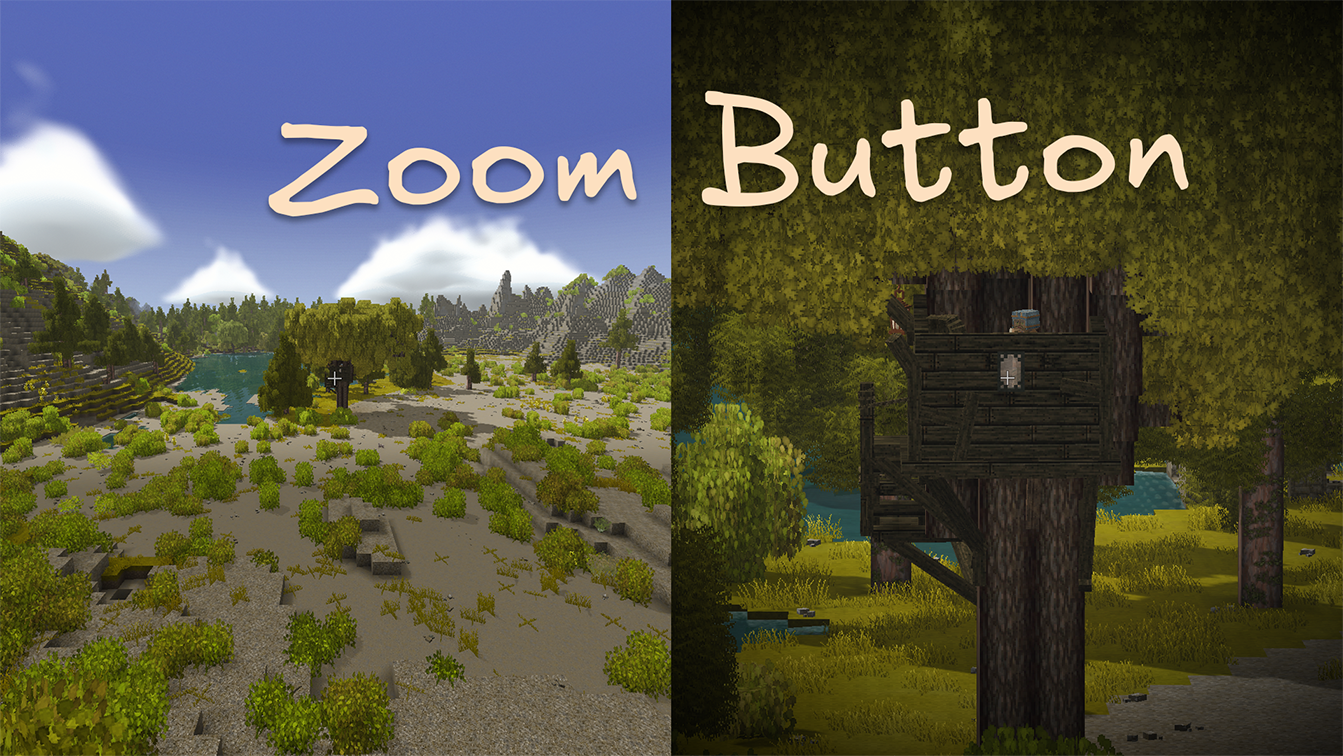
Zoom
Zoom adds a hold-to-zoom camera hotkey for checking distant blocks, animals, ruins, and all the other things that might be either treasure or trouble.
Enable Zoom in the in-game config dialog, then hold Z to zoom in. The effect eases in and out and can add a subtle vignette around the screen.
Configurable options:
- Zoom strength: How far the camera zooms in.
- Zoom speed: How quickly the camera zooms in and out.
- Vignette strength: How strong the edge-darkening effect is. Set it to
0to turn the vignette off.
Environment Widget
The Environment Widget is a HUD overlay that displays useful world and player information at a glance:
- Date & time — current in-game date and time
- Temperature — ambient temperature at the player’s position
- Coordinates — player’s X, Y, Z position in the world
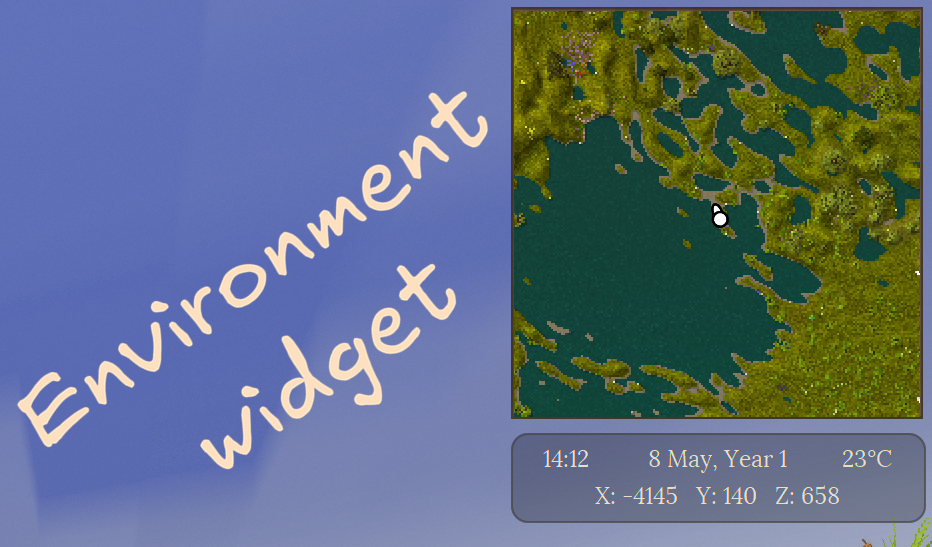
The widget is positioned in the top-right corner by default and can be fully customized: position, size, text format, and background opacity are all configurable.
Status Tooltips
💡 Inspired by Extended HUD info.
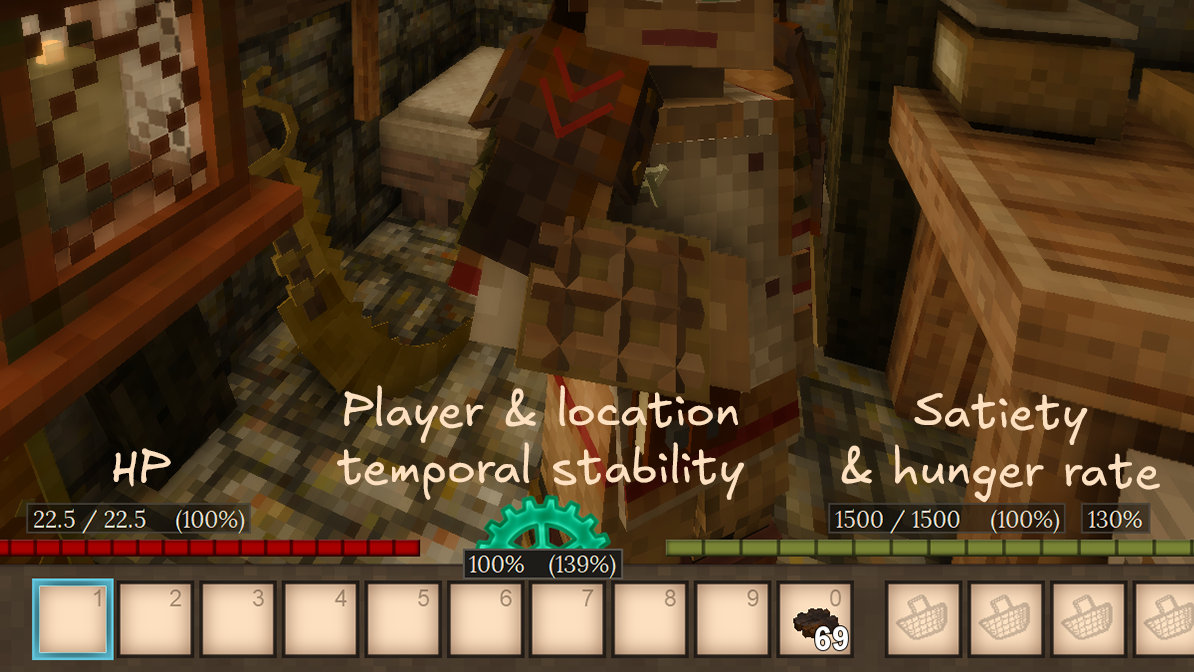
Customize your HUD by enabling additional elements provided by UI Tweaks:
- HP: Displays current / maximum HP as a number or a percentage above the health bar.
- Satiety: Displays current / maximum satiety as a number or a percentage above the satiety bar.
- Hunger rate: Displays the player’s current hunger rate.
- Temporal stability: Displays the player’s temporal stability, as well as temporal stability at player’s current position.
Quick Search
💡 Inspired by Satisfactory’s quick search feature.
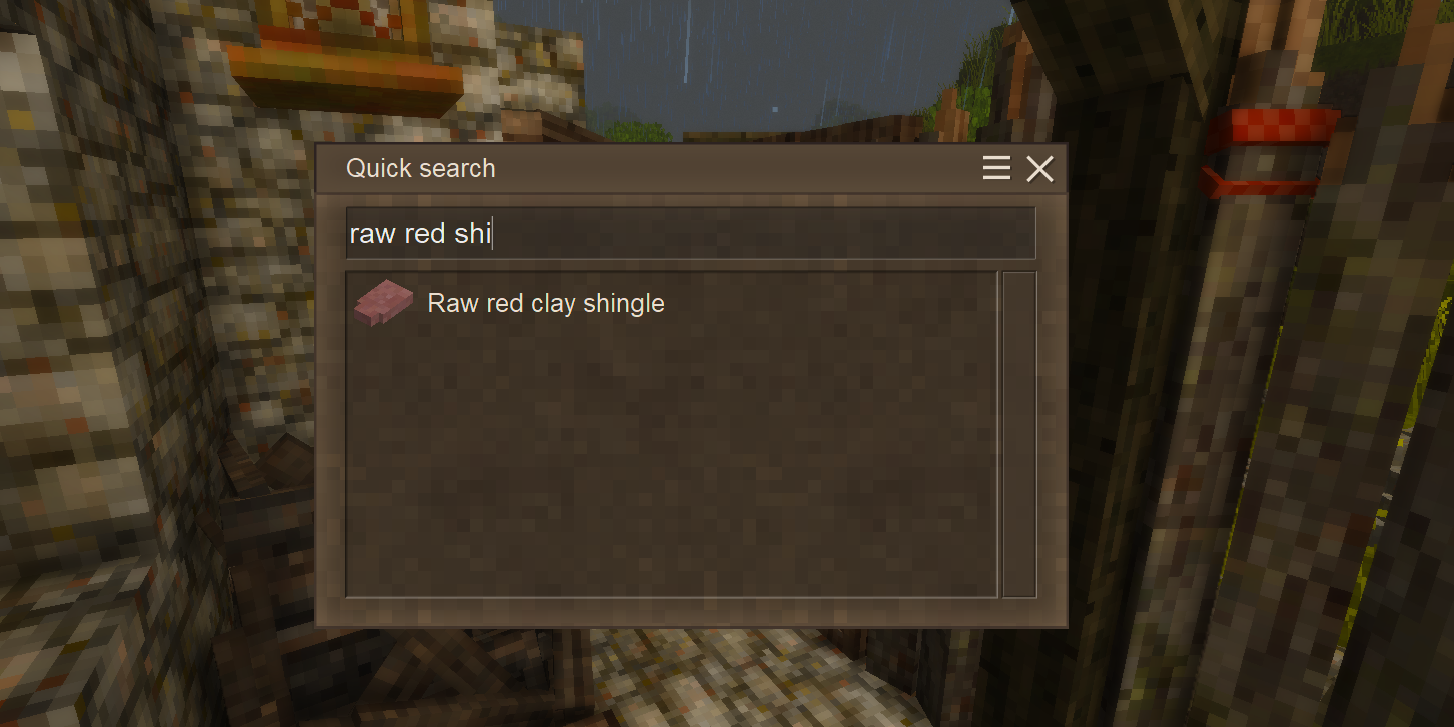
QuickSearch allows quickly searching for handbook entries by name. Simply press the configured hotkey (default: N) and start typing the name of the entry you want to find.
This search behaves differently from the vanilla handbook search. We hope you find it intuitive and easy to use. Try it out and let us know what you think!
Also check out the Calculator feature below, which allows Quick Search to double as a simple calculator.
We think Quick Search may benefit from the following features in the future:
- Search filters
- Search guide entries
- Search by description
- Search by item tags
Calculator
QuickSearch also allows calculating mathematical expressions right in the search box, just like in Satisfactory!
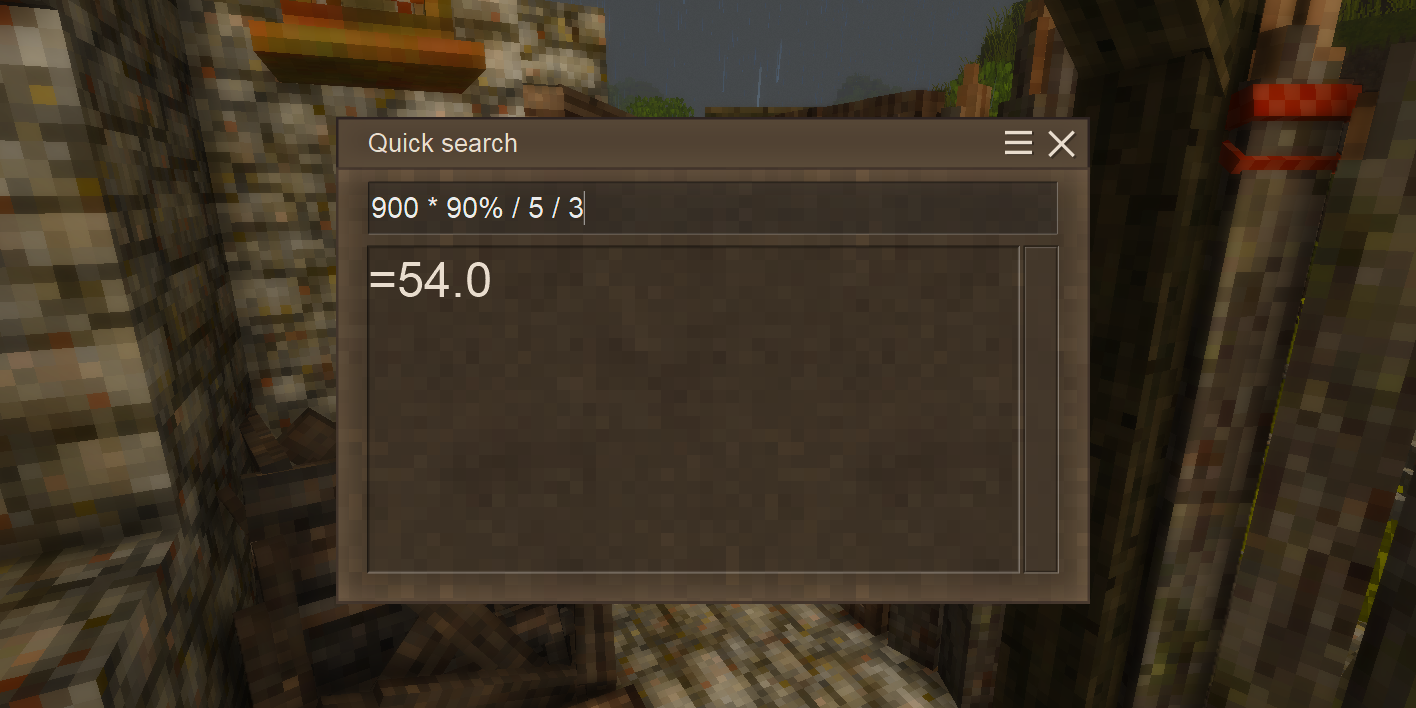
Supported operations:
- Addition:
+ - Subtraction:
- - Multiplication:
* - Division:
/ - Percentages:
% - Parentheses:
() - More operations may be added in the future!
Minor Tweaks
Small quality-of-life corrections applied to the vanilla game.
- Calendar year — years now start at 1 instead of 0.
- Meal remaining indicator — partially filled meal bowls show a vanilla-style indicator in item slots.
Request a Feature
If you have an idea for a feature you’d like to see in UI Tweaks, please let us know! You can submit a feature request as an issue on our GitHub repository or reach out to us on our Discord server. We welcome all suggestions and will do our best to consider them for future updates!